Create stunning newsletters in the time it takes to finish your morning coffee. Designed to inform, organise, and build community.
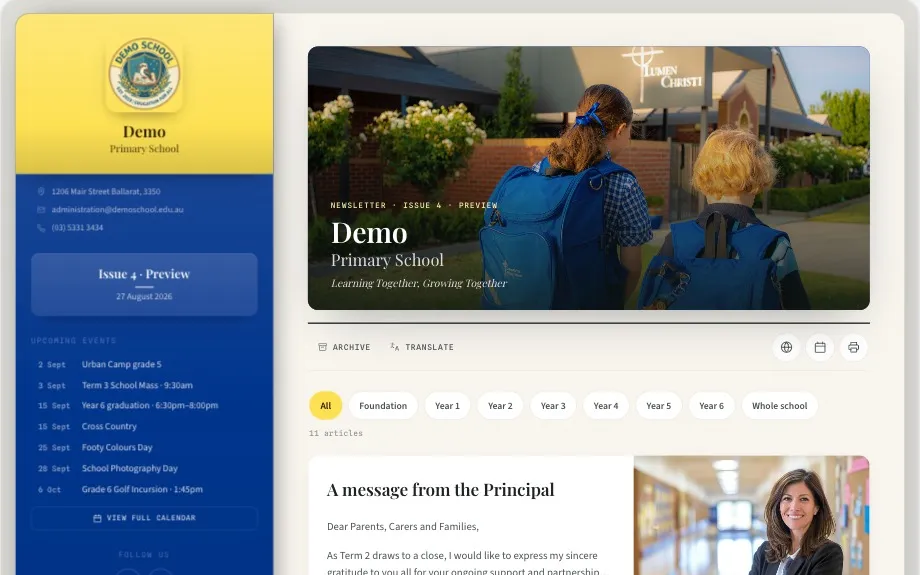
Most families read the newsletter on a phone. A PDF was made for paper.
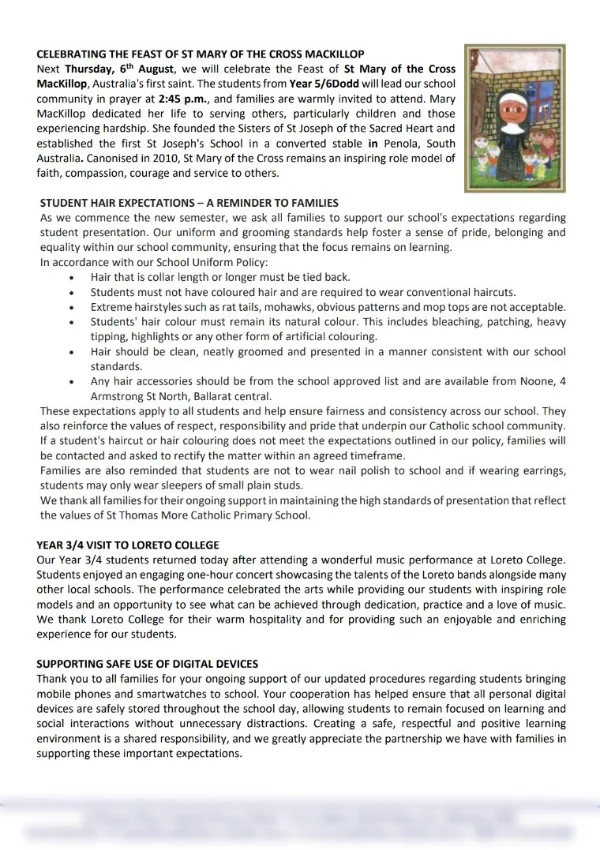
- ⚬Made for a printed page, so families pinch and zoom on a phone.
- ⚬Hard to tell how many families opened it.
- ⚬Dates stay in the document instead of on a family’s calendar.
- ⚬News and dates live in separate places.
- ⚬Opens instantly and reads perfectly on any screen.
- ⚬Clear analytics shows exactly how many are reading.
- ⚬One tap syncs events straight to a family’s phone.
- ⚬Unified news and dates ensure nothing is missed.
One calendar for the whole school.
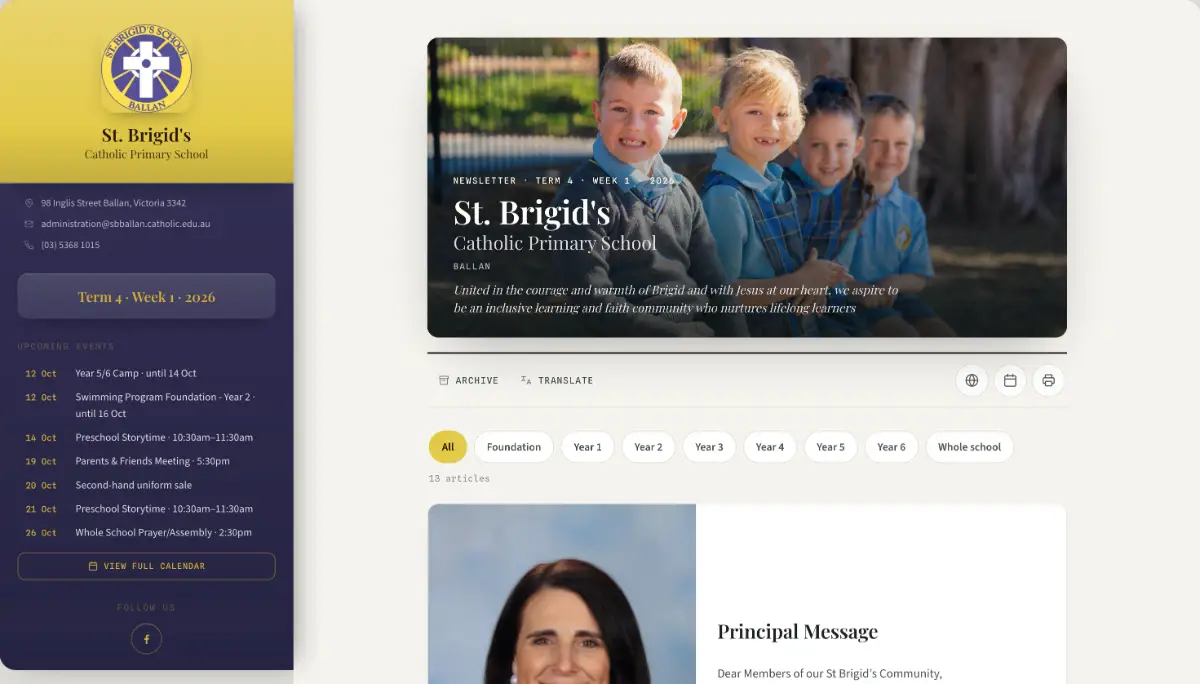
Events go into one calendar. From there they flow into the newsletter, your website and families' phones.
Enter the event once
Your office adds it to the calendar, colour-coded by year level or campus.
It appears everywhere
In the next newsletter's Upcoming Events, and on your website calendar if you want it there.
A family taps once
It lands in their iPhone or Google calendar, with the reminder already set.
No double entry, no calendar clashes, no confused families.
Start freeNewsletters families are proud to share with the grandparents.
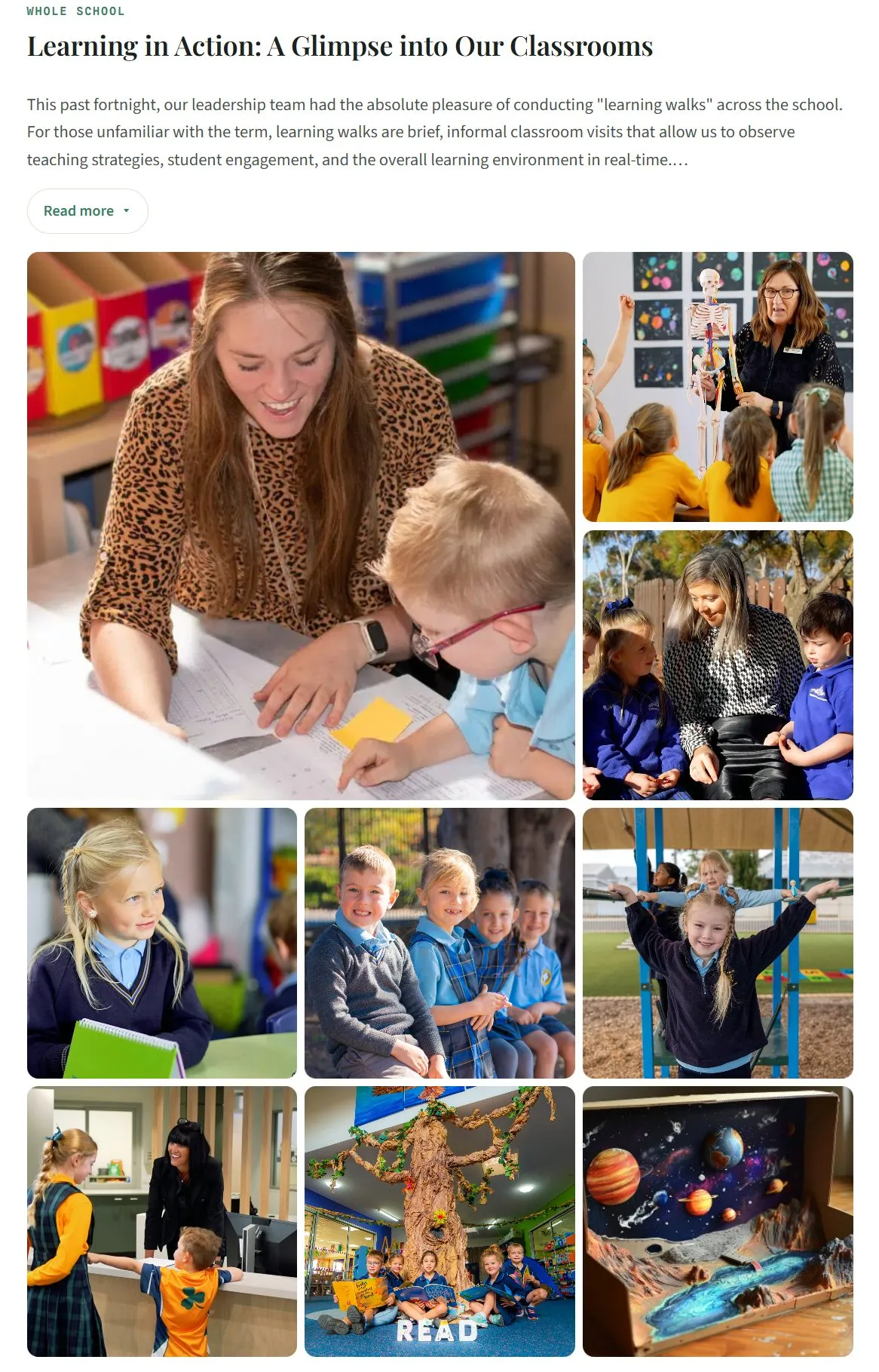
Every edition is a piece of your school's public face. When the writing is clear and the photography shines, families actually read and share it. It helps families talk about your school exactly the way you want it described.
That reputation is built fortnight by fortnight, in the ordinary editions rather than the prospectus. Express is built to make the good version the easy one: a story written in a few minutes, a gallery that lays itself out properly on a phone, and an archive a prospective family can scroll through and see exactly what a term at your school looks like.
And if nobody has time to take the photographs, that is our day job.
Four steps, and your newsletter is out.
Insert your content
Paste straight from Word, Docs or an email and the formatting is cleaned up for you. Staff write in their own article, tagged to their year level, so nobody is stitching a single document together on a Sunday night.
Add photos, media and documents
Drag in photos or video, or attach a document. Galleries populate and resize themselves and video plays inline instead of asking for a download, so an edition put together in a hurry still looks the part.
Check your live preview
The preview is the real edition on a real phone, not an approximation. Fix a date or swap a photo and it updates as you watch, so nothing is discovered after the send.
Send for approval, then publish
Leadership reviews the finished edition inside the tool and signs off, so nothing goes out unapproved. Publishing sends families the email, updates the archive and pushes the dates to the calendar in one action.
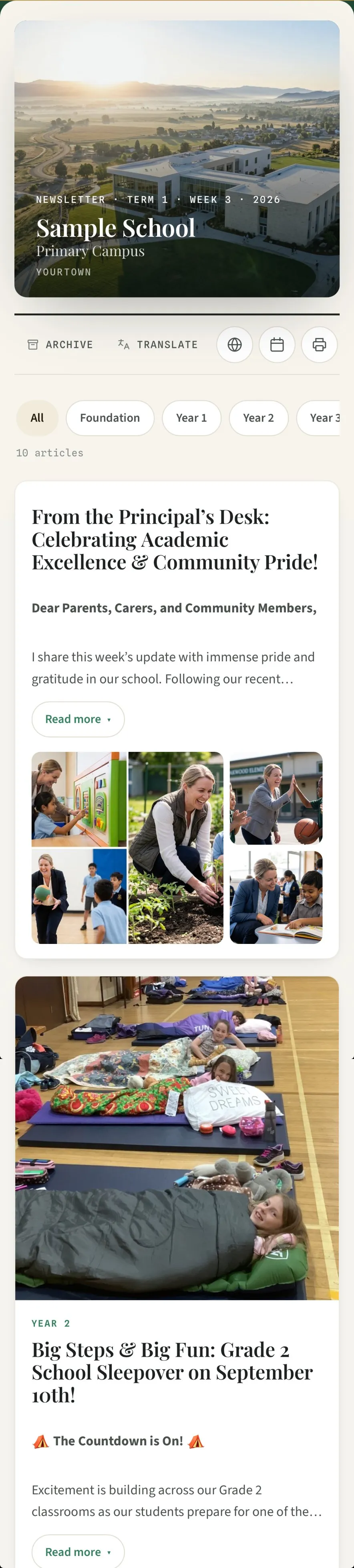
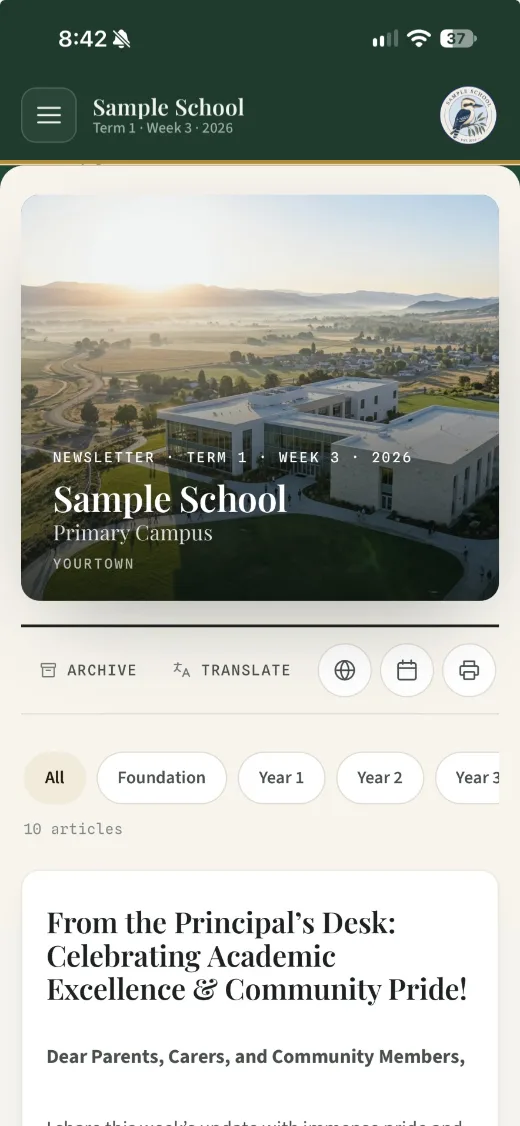
See the edition on a phone while you build it.
The preview is the real edition, not an approximation. Change a date or swap a photo and it updates as you watch.
Video plays inside the edition.
Drop a video into an article and families watch it right there on their phone, with nothing to download.
Every edition, in the language spoken at home
A language picker sits in the edition itself. A family taps their language and the whole edition re-renders in it, through Google Translate, across more than 100 languages. Nothing for your office to prepare and no separate version to maintain.
Nothing for families to download
No app, no account, no password to reset. The edition opens in the browser already on the phone, so a family that never installs anything still reads it.
A searchable archive
Every past edition stays online and searchable. A family hunting for last term’s uniform notice finds it themselves instead of ringing the office.
Attachments and permission forms
Documents and permission notes attach to the edition, so the form sits in the same place as the news about it.
You can see what was read
Opens and article-level reads are reported back to you, so the question of whether families saw the notice has an answer rather than a guess.
Roles and permissions
As many editors as you need — no per-user charge. Contributions from staff, approval held by leadership.
Set up with you
We set up your masthead, colours and calendar. Then we build your next edition together, with your own content. It takes about an hour, and that session is your training.
Support
A phone number that reaches the person who built it, not a chatbot or a queue. 0400 885 534.
Create stunning layouts and sections in minutes.
Add a splash of colour, incorporate images and break your newsletter into sections with ease to create a newsletter that's easy to read and showcases your school.
Your data is in safe hands.
A newsletter is a public document. The only sensitive data we hold is your family contact list. This is how we look after it.
Stored on Australian servers
Your school's records — subscriber list, articles, calendar and staff accounts — live in a database in Sydney, and the staff writing tool runs in Sydney too. Photographs and published pages are distributed globally so editions load quickly anywhere, and newsletter email is delivered from the United States. Everything is encrypted in transit and at rest. Every provider is named in full on our newsletter privacy page, and all of it is handled under the Australian Privacy Principles.
Each school's list is kept separate
Your subscriber list is stored against your school and access is restricted to your school's accounts. It is not pooled with other schools.
You control every photo published
Nothing appears in an edition unless someone at your school puts it there, and you can take an image down from a published edition at any time. Tell us and the file itself is permanently deleted.
Addresses are never sold or shared
No family will ever see another family's email address. We do not sell, rent or share your subscriber list with advertisers or data brokers, and we don't use it for anything other than sending your editions.
Multi-factor sign-in and encryption
The list is only as safe as the accounts that can reach it, so staff accounts are protected with multi-factor authentication. Data is encrypted in transit and at rest, and the platform runs on infrastructure from providers with independently audited security programs.
Editions are kept out of search results
Every published edition carries a noindex instruction, which tells search engines not to list it. Major search engines honour it, so editions are not intended to be found by searching a student's name. The edition is reached through the link you send.

Built by those working in schools. Creating solutions to problems that don't need to exist.
I've spent twenty-five years in education, I know the struggle that is the school newsletter, fighting tools never built for it. I could see a problem and spent two years developing the solution I wanted.
Express is made in Ballarat, Victoria by Modular Media, a family company. You will be supported by the people who built it. When you call, you get me.
Pricing
Priced on your enrolment, nothing else. Every figure includes GST — no setup fee, no per-user charge, no annual licence, no email gate to see it.
So you can see what you would pay before you talk to anyone, and take the figure straight to your business manager. No quote to request and no sales call.
Monthly or annual. No lock-in, cancel any month. EFT or invoice for schools. GST inclusive. Unused months refunded.
Send as many editions to as many families as you like. No fair-use email limit.
The questions the business office asks.
We're on PDFs now. What's involved?
We set up your masthead, colours and calendar. Then we sit down with whoever writes your newsletter and build your next edition together, with your own content. It takes about an hour and doubles as the training. You pay nothing until you publish.
We use another platform now. How do we switch?
The same way: we set up your masthead, colours, calendar and subscriber list, then build your next edition with you. Your past editions stay where they are, so families can still find them.
How long is training?
One session, about an hour, with whoever builds the newsletter. You build your next real edition while you learn. If you can use email you can use Express.
Will we be left to work it out ourselves?
No. Your first edition is built with you, not handed to you, and after that you can call me directly.
How do we pay?
EFT or invoice on school terms, or card if you prefer. Monthly or annually.
Is the price GST inclusive?
Yes. Every figure on this page includes GST, and a tax invoice is issued each cycle.
Are we locked in?
No contract and no minimum term. Cancel in any month and unused months are refunded.
What happens at renewal?
Your price follows your enrolment band. If your enrolment grows past a band we tell you before it changes.
Where is our data held?
In Australia. Your subscriber list, articles, calendar and staff accounts sit in a PostgreSQL database in Sydney, and the staff writing tool runs on Australian infrastructure as well. Published editions and photographs are delivered through a global content network so they load quickly for families travelling or living overseas. Every provider and every location is named in full on our newsletter privacy page.
How is our data protected?
Every staff account requires multi-factor sign-in, separation between schools is enforced in the database itself, and everything is encrypted in transit and at rest. Only Modular Media staff can reach the underlying systems, and everyone with that access holds a current Working With Children Check. Every provider involved is named in full on our newsletter privacy page.
How are student photos handled?
You publish only what your permissions allow. Nothing appears in an edition unless someone at your school puts it there, and you can take an image down at any time. GPS coordinates are stripped from every photograph in the staff member's own browser, before it reaches us.
Is it accessible, and can families translate it?
Editions are real web pages, so screen readers, text resizing and browser translation all work — none of which is true of a PDF attachment.
Does it work with our website and app?
Yes. Editions and calendar events can publish into your existing site, and the newsletter link opens anywhere.
Secure, simple and stunning newsletters for schools.
Or call 0400 885 534 — that's my mobile, not a 1300 queue.
Send me your school's name and website and I'll make you a sample newsletter in your own crest and colours, so you can see Express the way your families would.
Kevin Cummins, founder